How to make a Hair Dye Filter AI video from one photo
By Sendare AI Studio · Updated October 28, 2026
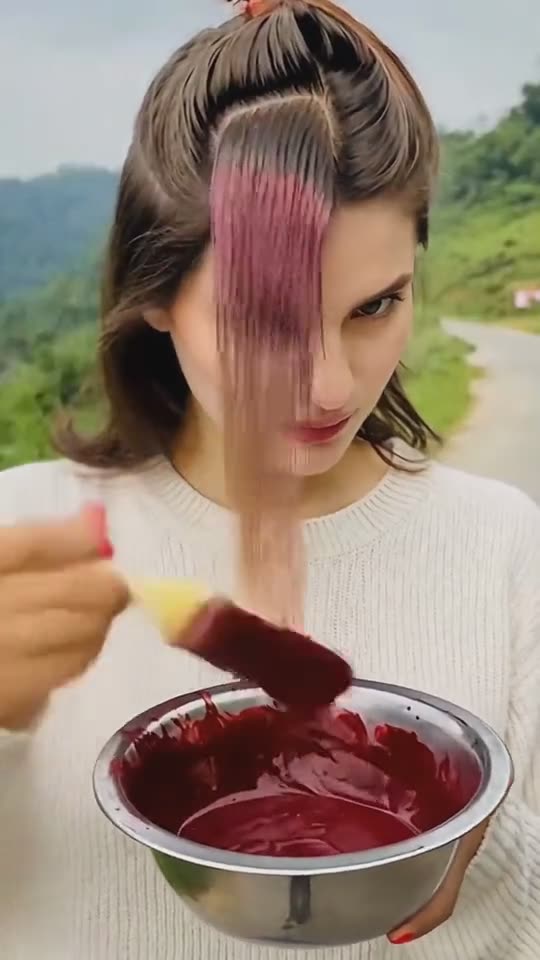
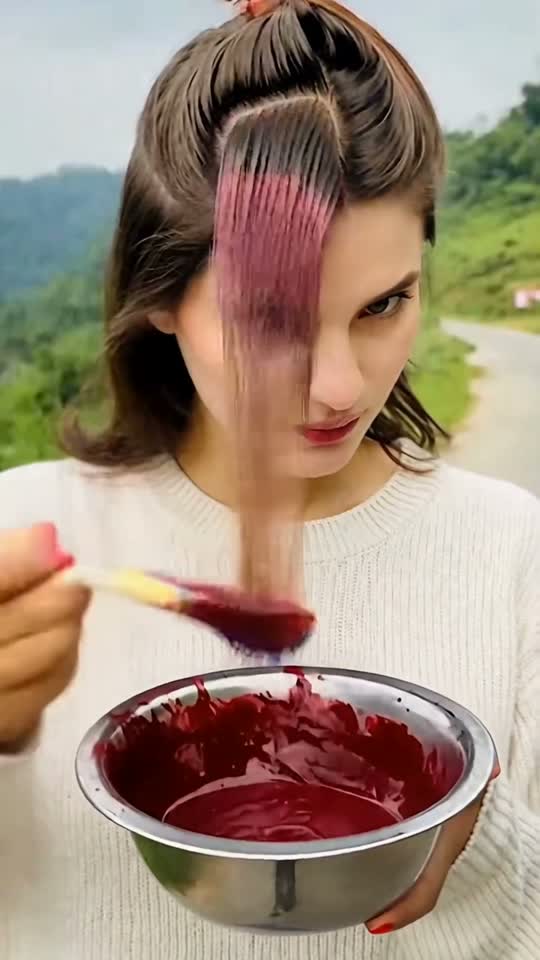
You get a ten-second vertical video. Your own face from your own photo, in your own room if the photo shows one, painting burgundy dye onto your own hair from a bowl with a flat brush; then a cut to the same hair long, straight and glossy under a flat iron; then a second cut to big soft curls and a smile at the lens. It arrives as a 720p MP4 with no watermark and no CapCut link to chase. Below is the photo that works, the shot list the model follows, and the specific failures we have reproduced on this template.
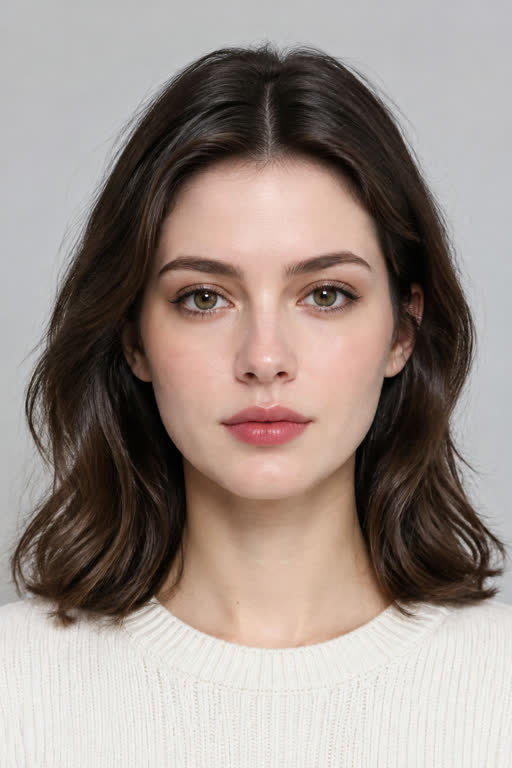
Left: the input photo shown on the Hair Dye Filter page. Right: the same second of the 10-second 720p example rendered from it. Nothing in the clip is stock footage or someone else's result.
Make your own Hair Dye Filter video
One photo, 10s 720p MP4 with synced soundtrack, no watermark. From $6.90 one-time.
How do I make the Hair Dye Filter AI video from my photo?
Upload one photo on the Hair Dye Filter generator, pick a one-time pass ($6.90 for 480p Standard or $9.90 for 720p Full HD, no subscription), and press the button. The render runs shot for shot against the trend's own reference cut and typically finishes in 4 to 7 minutes; the finished 10-second 9:16 MP4 downloads without a watermark, with the soundtrack attached.
What photo works best for Hair Dye Filter?
One clear, straight-on photo of one adult. One clear, front-facing photo of one adult with your face and hair both in view, in even light. Hair covered by a hat, hood or wrap cannot be recoloured. A phone camera in daylight beats a studio shot: the model copies what it can see, so a sharp frame with the face large and evenly lit is what decides whether the swap holds for all 10 seconds.
I uploaded a photo in a hat or scarf and nothing changed
There was no hair in the picture to recolour. Use a photo with your hair down and clearly visible.
The burgundy came out orange or pink
Warm indoor lighting pushes the red warm. Re-run with a photo taken in daylight; the prompt already rules out bright red, pink and orange by name.
The curls came out tighter or looser than the trend's
The curl size follows the reference clips the template is built on, not the photo. Re-running produces a new take; the loose cheek-length wave is the intended shape.
I want a silent copy so I can pick a different sound inside TikTok
Your downloaded MP4 already includes the original trend soundtrack synced to the reveal, flat iron and curls, and your order page also has a one-tap Silent MP4 button.
What song is in the Hair Dye Filter video, and is it included?
Your downloaded 10-second MP4 comes with the original Hair Dye Filter soundtrack already synced to the dye brush, flat iron and curl reveal. You can also download a silent MP4 from your order page if you want to attach a different sound inside TikTok or Reels.
What is the Hair Dye Filter AI trend?
A TikTok trend from October 2026 where one photo becomes a short video of you brushing wine-red dye onto your own hair from a bowl, then showing it off long, straight and glossy, and finally in big curls. Nothing is really dyed: the bowl, the brush, the new colour and the curls are all generated. It is also searched as the burgundy hair trend and the red cherry hair trend.
How do I make the Hair Dye Filter video from my photo?
Upload one clear, front-facing photo where your face and hair are both visible, pick a one-time credit pack from $9.90 for one video with no subscription, and press the button. The 10-second vertical 720p MP4 is generated from your photo and arrives with no watermark. You do not need CapCut and you do not need to write a prompt.
Is my hair really being changed?
No. It is a generated video of the person in your photo. The colour is a visual effect, not a prediction of how a real dye job will turn out on your hair, which depends on your starting colour, texture and the product used. Post it with the platform's AI label on, and if you send it to someone as a prank, tell them it is AI after the reaction.
Do I need the CapCut template?
No. The CapCut template links that the trend's videos point to are frequently region-locked or closed, which is why so many people search for the filter and find nothing. Sendare runs the same scene directly in your browser from your photo, with no app to install.
Can I use a photo where my hair is covered?
No, and this is the one requirement that matters most. A hat, hood, scarf or wrap means there is no hair in the picture, so there is nothing for the template to recolour. Use a photo with your hair down and clearly visible in even light.
What happens if the render fails or the result does not look like me?
A failed render returns its credits automatically, and a full refund is available within 14 days. A photo that cannot be used is refused before any credits are spent, with the reason named, so an unusable photo costs nothing.